
Swift Radio v4 and the move to SwiftUI
Swift Radio v4.0.0 is out. The station list, Now Playing, station information, and About screens now use SwiftUI, along with the phone's navigation.
At the end of the v3 post, I said I wanted to move the interface to SwiftUI next. v3 removed the storyboards and moved navigation into coordinators. v4 takes that next step, with a NavigationStack and views organized by feature.
Swift Radio is still a starting point for a radio app you can fork and customize. I kept the familiar station cards and popup player, and moved the playback and catalog services into a local package called SwiftRadioCore. Those were the two main choices behind the migration.
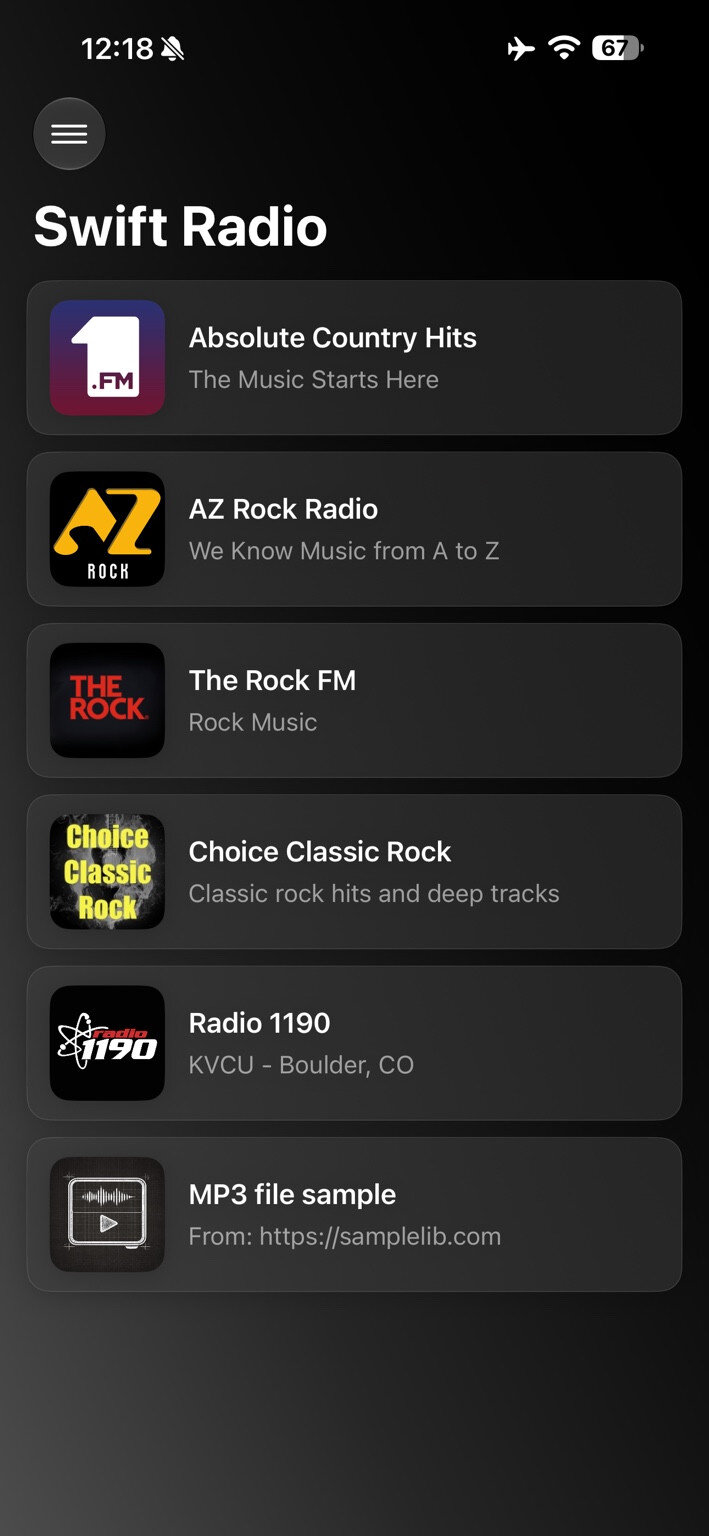
The station list in SwiftUI
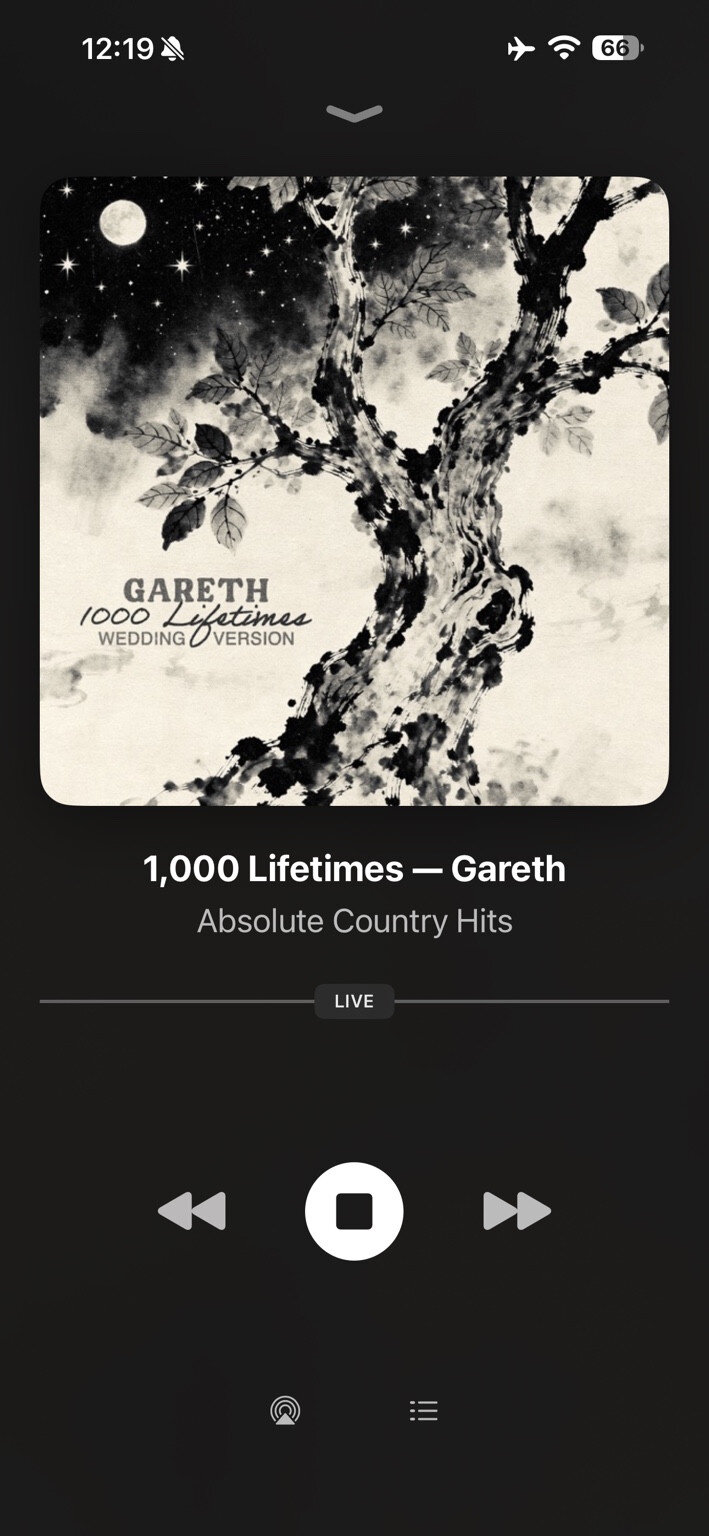
Now Playing for a live station
Keeping the player familiar
The player still sits above the station list. Tap or drag the bar to open it, browse the artwork and track information, then drag it down to return to the list. Live radio keeps its LIVE badge and stop/play controls. On-demand audio keeps pause/resume and a scrubber.
I used LNPopupUI, the SwiftUI wrapper around LNPopupController, to keep that interaction. RootView attaches the popup to the navigation stack, and NowPlayingView supplies both the bar's content and the expanded player.
The transitions needed their own handling. Choosing Station Info from the options sheet dismisses that sheet, closes the player, and then pushes the information screen. Opening the station website follows the same sequence before presenting the browser. Sharing keeps the player open underneath, so dismissing the share sheet returns directly to it.
Some UIKit views remain behind small adapters: the AirPlay picker, mail composer, share sheet, scrolling titles, and parts of the player artwork and controls. Keeping those adapters let me preserve the existing appearance and system behavior while moving screen layout and navigation to SwiftUI.
The architecture guide maps those boundaries and the popup flow.
Shared state for the phone and CarPlay
The other part of the migration is SwiftRadioCore. It holds the station models, catalog loading and selection, playback service, artwork loading, and integration with system media controls. It has no SwiftUI views.
AppEnvironment creates one StationsStore, one PlayerService, and one ArtworkLoader for the app. The phone and CarPlay share those instances. Selecting a station in the car updates the phone's selected station and popup bar, while the same playback service supplies the lock screen and Control Center.
CarPlay still uses the CarPlay framework's native templates. Its scene delegate observes the shared services and turns that state into a station list and Now Playing screen.
On the phone, views read the services from the SwiftUI environment. The playback controls, for example, use:
@Environment(StationsStore.self) private var stations
@Environment(PlayerService.self) private var player
Both stores are @Observable and isolated to the main actor. The views can read the current selection and playback state without owning the audio engine or setting up another copy of the catalog.
CarPlay also gets loading and retry states, plus pagination for catalogs larger than its list limit. A failed catalog load can be retried from the car. Longer lists get a More row, within CarPlay's item and navigation-depth limits.
Separating these services gives the tests a useful boundary too. They can inject a player or catalog loader and check selection, refresh, seeking, and remote commands without launching the interface or depending on a live station. The SwiftRadioCore guide covers the service contracts and how to run the package tests.
Playback decisions outside the views
The app and core package now use Swift 6 language mode, with complete concurrency checking. FRadioPlayer 0.4.0 remains the audio engine and delivers its observer callbacks on the main actor. PlayerService translates those events into the state the app displays.
One distinction matters when using that release: FRadioPlayer preserves playback intent when seeking. Moving the playhead while paused leaves the library paused.
Swift Radio deliberately resumes after the listener releases the scrubber. That choice lives in PlayerService, which explicitly starts playback when the current seek finishes. If the listener pauses, stops, or changes stations before it finishes, that newer action takes precedence. An older completion shouldn't start the previous stream again.
Audio-session ownership lives there too. Swift Radio configures and activates its playback session when playback is requested, rather than at launch. Opening the station list leaves another app's audio playing; starting a station takes over under the default configuration.
The app disables FRadioPlayer's automatic category setup before accessing its shared player, so the two layers don't configure the session independently. If you're building a fork that mixes with other audio, Config.mixesWithOtherAudio enables that, but it gives up ownership of lock-screen, Control Center, and CarPlay Now Playing controls.
Updating a fork
v4 requires iOS 17 or later and Xcode 26.6 or later. Swift Package Manager resolves the dependencies, including FRadioPlayer 0.4.0 and LNPopupUI 4.0.1.
The station JSON format remains compatible. Your catalog can still come from the bundled stations.json or a URL configured in Config.swift. Branding, app links, and interface text remain configurable through Config, the asset catalog, and Localizable.xcstrings. The translation guide covers editing the String Catalog.
Custom UIKit screens and coordinators need to move into the new structure. These are the places I'd start:
- Screens:
SwiftRadio/Featurescontains Stations, Now Playing, Station Info, and About. - Navigation and presentation:
SwiftRadio/App/RootView.swiftowns the station navigation stack and popup presentation. - Playback and catalogs:
Packages/SwiftRadioCoreholds the services shared with CarPlay.
The v4 README covers setup and configuration. Start from the release tag when comparing your fork so you're working against a fixed version of the migration.
And a small shout-out to Swift Radio Android, if you're building for Android too. It's written in Kotlin with Jetpack Compose and uses the same station JSON format.
If you're updating a fork, I'd like to hear which parts are still awkward to customize. Send me a note or open an issue with the screen or playback sequence you're working on.